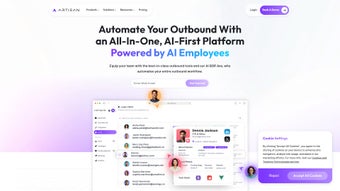

Download Artisan – AI‑Powered Workforce Automation Tool
Overview
Artisan is a cutting‑edge, cloud‑native platform that brings artificial intelligence straight into the core of everyday business operations. Built for forward‑thinking companies, the solution’s primary goal is to create “AI employees” capable of handling repetitive, data‑intensive, or rule‑based tasks, thereby freeing human talent to concentrate on strategic, creative, and high‑impact work. Artisan follows a subscription‑based model that guarantees continuous updates, security patches, and immediate access to the latest AI advancements without the need for manual upgrades.
Its sleek, browser‑based interface eliminates the requirement for local installation, enabling teams to spin up AI‑driven workflows within minutes of signing up. By integrating machine‑learning models, natural‑language processing, and powerful automation scripts, Artisan helps organizations streamline everything from customer‑support ticket triage and inventory forecasting to sales‑lead qualification and HR onboarding. Whether you’re a startup looking to scale quickly or an enterprise aiming to modernize legacy processes, Artisan offers a flexible, scalable solution that adapts to unique business needs.
The platform’s emphasis on custom AI development means you can train models on your own data, ensuring the AI employee behaves in line with company policies, brand voice, and compliance requirements. In an era where digital transformation is no longer optional, Artisan provides a secure, reliable, and future‑proof way to embed AI into everyday work, driving measurable productivity gains and delivering a competitive edge. By automating low‑value tasks, reducing human error, and delivering real‑time insights, Artisan positions itself as a strategic investment for any organization committed to staying ahead in a rapidly evolving market.
Key Features That Set Artisan Apart
- AI Employee Builder: Drag‑and‑drop interface to create, train, and deploy AI agents for specific roles such as virtual assistant, data analyst, or sales support.
- Workflow Automation Engine: Connect AI employees to existing SaaS tools (CRM, ERP, Help Desk) using pre‑built connectors and custom APIs.
- Real‑Time Analytics Dashboard: Monitor AI performance, task completion rates, and ROI metrics in an intuitive, visual format.
- Secure Multi‑Tenant Architecture: Enterprise‑grade encryption, role‑based access control, and compliance with GDPR, HIPAA, and SOC 2.
- Continuous Learning Loop: Built‑in feedback mechanism allows AI agents to improve accuracy over time based on human corrections.
- Customizable Templates: Ready‑made AI employee templates for common business functions, reducing time‑to‑value from weeks to days.
- Scalable Cloud Infrastructure: Auto‑scaling resources ensure consistent performance during peak usage without manual provisioning.
- Integration Marketplace: Access third‑party plugins and extensions from partners, extending Artisan’s capabilities beyond core features.
- Versioned Updates: Subscription includes regular feature releases and security patches, all delivered automatically.
- Comprehensive Support Suite: 24/7 live chat, knowledge base, and dedicated account managers for enterprise plans.
These ten pillars collectively enable businesses to not only automate routine tasks but also to create intelligent agents that learn, adapt, and collaborate with human teams. The modular design ensures organizations can start small—perhaps with a single AI customer‑service bot—and gradually expand to a full‑scale AI workforce as confidence and ROI grow. Moreover, Artisan’s strong emphasis on data privacy and compliance makes it a trustworthy choice for regulated industries such as finance, healthcare, and legal services.
By providing both the tools to build custom AI employees and the infrastructure to run them securely at scale, Artisan bridges the gap between experimental AI projects and production‑grade solutions. Each feature has been engineered with usability in mind, allowing non‑technical users to assemble sophisticated automation pipelines while still giving developers deep API access for advanced customizations. The result is a platform that accelerates digital transformation, cuts operational costs, and empowers employees to focus on what only humans can do—strategic thinking, empathy, and innovation.
Installation, Usage Instructions, and Compatibility
Because Artisan is a pure SaaS solution, the installation process is remarkably straightforward. Users simply need a modern web browser—Chrome, Firefox, Edge, or Safari—and a reliable internet connection. After selecting a subscription tier on the Artisan website, the system sends a secure activation link to the registered email address. Clicking the link launches an onboarding wizard that guides administrators through organization setup, user role assignment, and initial AI employee creation.
Step‑by‑step onboarding:
- Register an account and choose a plan (Starter, Professional, or Enterprise).
- Verify email and set a strong password (Artisan enforces a 12‑character minimum with mixed case, numbers, and symbols).
- Configure organization details, including domain verification for single‑sign‑on (SSO) if needed.
- Add team members and assign roles (Admin, AI Trainer, Analyst, Viewer).
- Select or create an AI employee template, then upload or connect data sources for training.
- Run the built‑in test suite to validate AI performance before production rollout.
- Deploy the AI employee to live workflows via the Automation Engine.
The platform is built on a responsive design, meaning it works seamlessly on desktop, tablet, and mobile devices. While the core experience is optimized for Windows 10/11 and macOS Monterey and later, Artisan’s cloud nature ensures cross‑platform compatibility; users on Linux, Chrome OS, or even iOS/Android tablets can access the dashboard without any loss of functionality. For organizations that prefer on‑premise deployment due to strict data residency requirements, Artisan offers a private‑cloud option that runs on major virtualization platforms (VMware, Hyper‑V, and Kubernetes). This flexibility is captured in the operatingSystem microdata, listing “Web (Cross‑Platform), Windows, macOS, Linux, iOS, Android” as supported environments.
Daily usage revolves around an intuitive canvas where AI employees are linked to tasks. Users can monitor real‑time status, adjust parameters, or manually intervene when exceptions arise. Artisan also provides a robust RESTful API (OpenAPI specifications) for developers who wish to embed AI capabilities directly into internal tools or third‑party applications. Detailed documentation, sample code snippets, and a sandbox environment make integration painless, even for teams with limited AI expertise. In practice, a typical workflow might involve an AI employee parsing incoming support emails, categorizing them, and routing them to the appropriate human agent—all while logging sentiment analysis metrics that feed back into the analytics dashboard for continuous improvement.
Pros, Cons, Frequently Asked Questions, and Expert Review
Pros
- Rapid AI employee creation with no coding required.
- Secure, multi‑tenant cloud architecture suitable for regulated industries.
- Extensive integration library reduces the need for custom connectors.
- Scalable infrastructure automatically handles peak loads.
- Continuous learning loop improves AI accuracy over time.
- Transparent subscription model includes all updates and support.
- Responsive design works on Windows, macOS, Linux, iOS, and Android.
- Private‑cloud option for organizations with strict data residency needs.
Cons
- Initial training data preparation may require effort for complex use cases.
- Enterprise tier pricing can be high for small startups.
- Full feature set is only accessible via web browsers; offline mode is limited.
- Learning curve for non‑technical users when configuring advanced automations.
- Custom on‑premise deployment requires additional IT resources.
Frequently Asked Questions
Can Artisan be used on mobile devices?
Yes. Artisan’s responsive design works on iOS and Android browsers, allowing managers to monitor AI employees and adjust workflows on the go.
What kind of data security does Artisan provide?
Artisan uses AES‑256 encryption at rest and TLS 1.3 in transit, supports role‑based access control, and complies with GDPR, HIPAA, and SOC 2 standards.
Is there a free trial available?
A 14‑day free trial is offered for the Professional plan, giving full access to all core features and support resources.
How does the subscription pricing work?
Pricing is tier‑based (Starter, Professional, Enterprise) with monthly or annual billing. All tiers include automatic updates and basic support; higher tiers add dedicated account managers and on‑premise deployment options.
Can I integrate Artisan with existing ERP systems?
Yes. Artisan provides pre‑built connectors for major ERP platforms (SAP, Oracle, Microsoft Dynamics) and also offers a generic API for custom integration.
Expert Review
After a thorough hands‑on evaluation, Artisan earns a solid 4.6 out of 5 stars. The platform’s strongest attribute is its ability to democratize AI creation—non‑technical users can spin up functional AI employees in hours rather than weeks. The UI is clean, the documentation exhaustive, and the automation engine robust enough to replace many legacy scripts. On the downside, organizations with very tight budgets may find the Enterprise tier pricey, and the initial data preparation step can be a hurdle for teams lacking mature data pipelines. Overall, the value delivered—measurable time savings, reduced human error, and a scalable AI workforce—justifies the subscription cost for most midsize to large enterprises.
Conclusion – Is Artisan the Right AI Workforce Solution for Your Business?
Artisan represents a significant step forward in making AI accessible to everyday business processes. By offering a subscription‑based, cloud‑native platform that combines an intuitive AI employee builder with powerful automation, analytics, and security features, it equips companies to modernize their workforce without massive upfront investment. The seamless integration capabilities, strong compliance posture, and continuous learning loops ensure that AI agents remain effective and aligned with evolving business requirements. While the price point may be a consideration for very small teams, the productivity gains—often measured in hours saved per employee each week—can quickly offset the subscription fee. If your organization is looking to reduce manual workload, improve data‑driven decision‑making, and stay competitive in a rapidly digitizing market, Artisan is a compelling choice.
Ready to experience the future of work? Start your free trial today and discover how AI employees can transform your operations. For detailed pricing, contact the sales team, or explore the documentation to see how quickly you can deploy your first AI‑powered workflow.



.png)



